Lost my Identity // Format Computer // New Computer and no data was transfered

If you still have access to your old computer you need to move all your Identities as well as the Bookmarks to the Synchronized Items area.

Only by moving them to the synced area they will become available from your myTS account, otherwise they are only available locally.
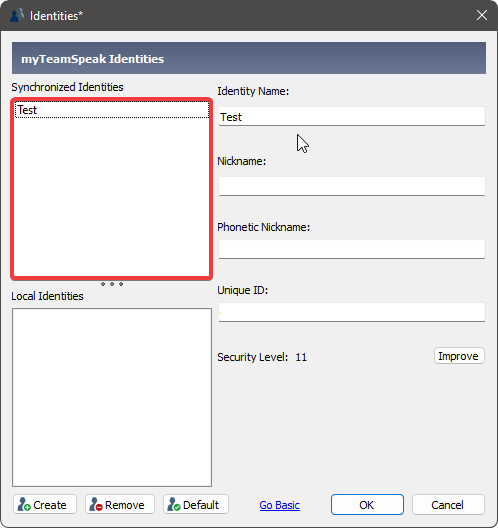

To open this menu press: CTRL + I


To open this menu press: CTRL + B


Also make sure that you are logged in with the correct account and have synchronization enabled in your settings.


If you have performed a fallback due to a password reset, all synchronized data from your myTS account has been deleted. In that case, please follow this guide to learn how you may be able to recover your data:

3 Likes