After the latest update, yellow stripes appeared around the edges of the app I’m streaming. How do I remove them?
Because of them, I have to constantly sit on the second beta. I’m already tired of constantly reinstalling TS.

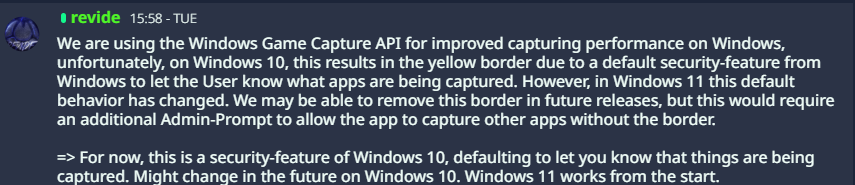
This is due to Windows 10. You can either update to Windows 11 or remain on beta 2 and wait for a patch to be released at some point. Since Windows 10 is no longer officially supported by Microsoft, I would assume that TeamSpeak’s priority to fix this issue is not particularly high at the moment.
3 Likes
Counter-argument: Open Broadcaster Software doesn’t have this issue and it’s well known for being lightweight, performant and in general a first-and-best-choice for capturing game and screen footage across all major OS platforms.
It also doesn’t demand admin privileges whenever you start it and it can capture any app, any screen.
So, what gives?
Yes, because OBS also uses many of its own custom hooks, which is why no yellow borders appear. In some cases, even with OBS, a yellow border may still appear, for example when the desktop is captured and OBS then uses the Windows API.

Of course, it would be nice if TeamSpeak had something for that too, but as I said, it won’t be a priority because Windows 10 has no future and it works fine on Windows 11. It would be a waste of time that could be used more effectively.
1 Like
Counter-argument: Open Broadcaster Software does have this issue and it’s well known for being lightweight, performant and in general a first-and-best-choice for capturing game and screen footage across all major OS platforms.
As previously discussed this happens when using the Windows Game Capture API on Windows 10.
2 Likes
No, it doesn’t. I can capture any game, any screen etc. with no yellow outline on Windows 10 22H2.
The forums fail to upload the screenshot so here’s an upload on my website.

To be clear, I do not care what API it uses. I care that there is no annoying yellow outline. Make it an option “use legacy capture / use Windows Game Capture (causes yellow outline)” if you wish.
Tbh I understand your frustration and I think having an option might be nice. But you also have to consider that this is not a problem when using Windows 11. So only users running an unsupported OS are affected by this. To my knowledge TS selects the better performing capture method automatically. And I am unsure whether such a change would potentially have negative side-effects for most user running an up-to-date OS.
1 Like
No, I do not have to consider that it isn’t a problem on Windows 11, because even though Windows 10 “ended support” a few days ago, it until recently had a majority of market share and even now is still a 40% market share, and will likely remain that way until windows 11 isn’t abysmal dogshit. Many people haven’t and won’t switch due to idiotic new hardware requirements like TPM 2.0. Windows 7 support for many apps like Chromium was phased out only a year or two ago, what makes you think Windows 10 is on its way out so soon?
Not to mention the “every other windows version sticks” pattern we’ve observed for several decades now:
XP sticks, Vista sucks, 7 sticks, 8/8.1 sucks, 10 sticks, 11 sucks.
Why are we having this conversation after over 25 years of computing and observing this?
Microsoft also caved and offered an extra 1-6 years of extended support (depending on if you believe their speech or the SKUs available to activate with certain well-known scripts) to EU citizens (where TeamSpeak is based!) and Americans who pay into their onedrive backup program (my opinions on this unfair treatment are immaterial)
Windows 11 is also plagued with constant issues, even as recent as a few days ago completely breaking localhost HTTP for developers, or even lacks basic customizability present in literally every windows version since XP or earlier like moving your taskbar around the screen.
I do not foresee people (particularly power users) switching off anytime soon. I don’t think I want their new vibe-coded OS, what with their recent obligatory AI use in software development across all divisions.
On topic of OBS and Discord, in OBS’ case I have to manually and intentionally switch from “automatic” to W10 capture to get OBS to not use DXGI display duplication to see the yellow border. That’s how much people don’t want it, that these programs AVOID IT unless you explicitly tell them to do it. A bit of a philosophical difference from maybe doing it in the future, if you ask me.

Also, EVERYONE from my friend group we use teamspeak with decided that the yellow border eyesore (and, supposedly, the latency it apparently introduces) isn’t worth the hardware-acceleration & performance improvements for screensharing and as such discord is still their main tool for screensharing and communication.
This is the audience (current Discord users) you’re trying to capture, and this is the audience you will never capture so long as this complacent attitude remains in place. You can’t be years behind everyone else if you want to re-enter the market with new features. I’m sorry, but I have to be blunt.
I love TeamSpeak, I consider you guys the final bastion of app development that respects the user, and THAT is why I hold you to such a high standard.
2 Likes
Problem solved! Rolled back to the previous version and set the TS folder to read-only. Updates are downloaded to the Temp folder, in case anyone’s interested.
1 Like
Yeah, I agree. Windows 11 sucks, that’s why I don’t wanna update. I know it won’t get security updates anymore, but it’s still the best Windows since 7.
Temp folder where?
Hey. My friend and I use screen sharing in TS6 to watch movies and series together. Everything works fine, but the blue border around the shared screen is really distracting during playback.
When you’re watching something in fullscreen, your eyes constantly catch the blue edges, and it breaks the immersion.
Is there any way to disable this?
If not, could you please add an option in settings to turn the blue border off?
I’m using screen sharing in the TS6 client and hosting the server on my PC. I’ve noticed that any application or full screen I stream has this yellow border around it! Is there a way to disable this?

Man, this is ridiculous that it’s still happening. Can’t believe TS6 team pretends people dont use Windows 10 anymore when it is still very widely used. Me and a couple friends tried switching over and issue after issue. Guess time to go back to Discord Nitro and forget the teamspeak dream from 2014.
1 Like
So, I found a working workaround to remove the yellow bars in Windows 10. Here are the instructions:
-
Close the client if it’s running, then uninstall it using the Windows uninstall menu.
-
Download the installer for the older version of the Teamspeak 6 client, specifically version 6.0.0-beta2. You can download it from the official file server (you won’t find this link on the website; you can only open it directly): https://files.teamspeak-services.com/pre_releases/client/6.0.0-beta2/teamspeak-client.msi
-
Install the downloaded client, but DO NOT run it after installation (you must uncheck the corresponding box in the installer).
-
Find the client folder in File Explorer (by default, it’s C:\Users\%USERPROFILE%\AppData\Local\Programs\TeamSpeak). Open the folder options, check the “read-only” box, and confirm.
-
Now you can launch the client and use it. At the time of writing, all the app’s core functionality is working reliably, including screen and window capture, and the yellow bars are no longer visible.
It’s really frustrating that developers are removing perfectly functional functionality from new client versions, forcing users to waste time searching for workarounds.