Hi, since Discord started having issues regarding connection, voice quality, performance and many other things, me and my friend wanted to get back to the good old days and switch back to teamspeak.
As the friend in the group with an nas i got the glorious taks on setting up a server 
First of all, i have never setup a server and i struggle to understand the documentation on the github page.
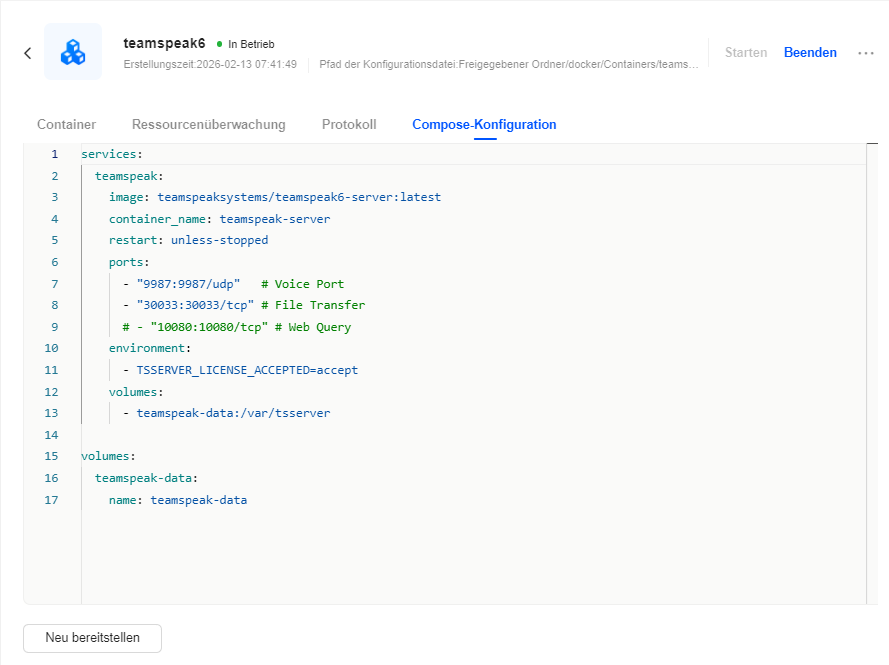
Could someone explain to me what exactly i have to do to setup the server?So far i downloaded Docker and tried creating an project with the following block as the compose-config:
services:
  teamspeak:
    image: teamspeaksystems/teamspeak6-server:latest
    container_name: teamspeak-server
    restart: unless-stopped
    ports:
      - "9987:9987/udp"   # Voice Port
      - "30033:30033/tcp" # File Transfer
      # - "10080:10080/tcp" # Web Query
    environment:
      - TSSERVER_LICENSE_ACCEPTED=accept
    volumes:
      - teamspeak-data:/var/tsserver

volumes:
  teamspeak-data:
    name: teamspeak-data
It seems to do something and for example the image got downloaded but i just dont know where to go from here.
I hope someone can help me and i am not beyond saving 

P.S. Maybe some useful screenshots