 Hello, I found weird bug/glitch on Teamspeak 6.0.0-beta3.2 it looks like strange epilepsy like when im moving mouse:
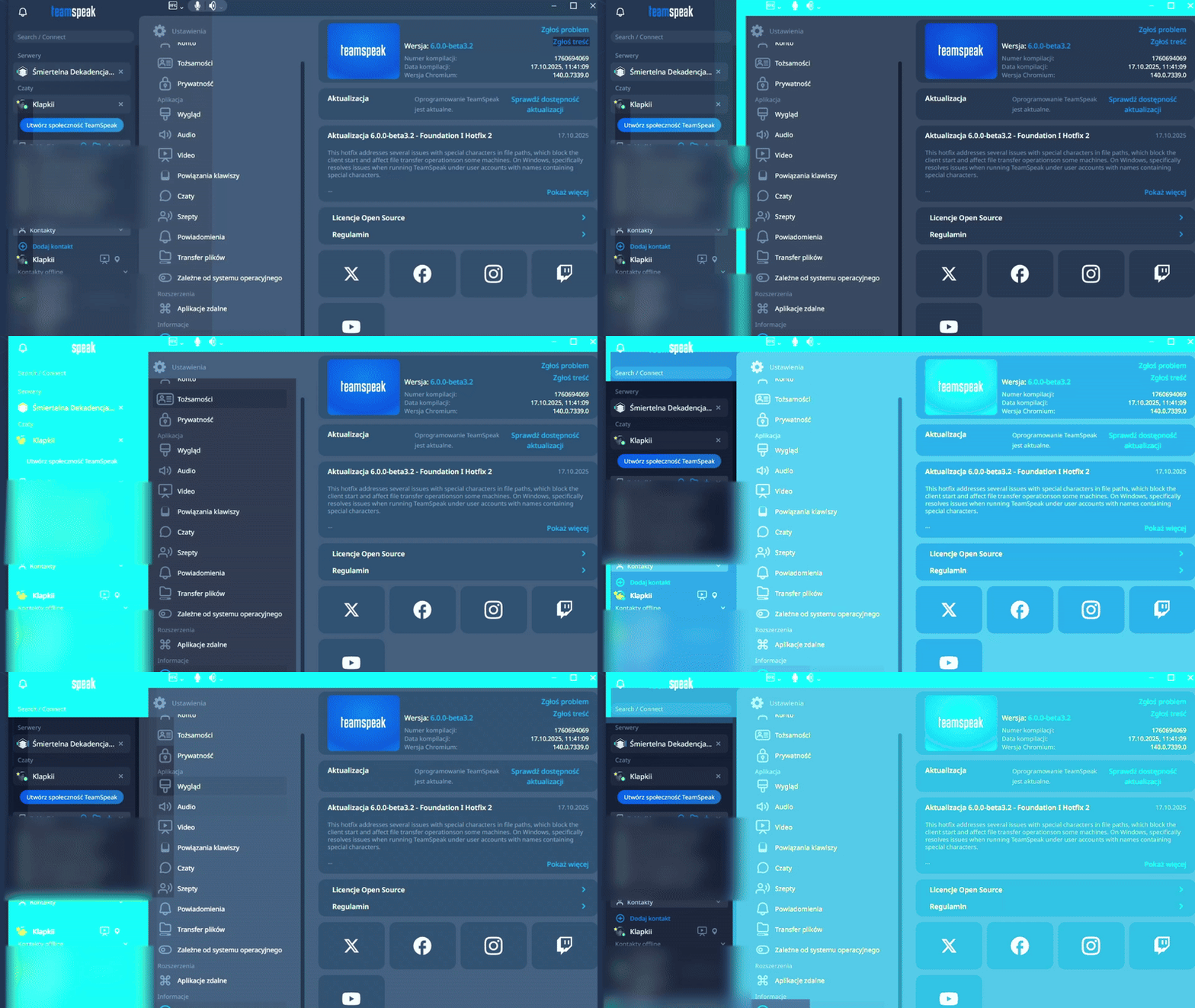
i don’t know what causes it but it happens when hardware acceleration is running otherwise the GPU starts doing something like this, it doesn’t always happen when connecting to the screen sharing because if TeamSpeak is minimized it starts doing this even when i switch to full screen it’s the same idk why but ye (ive got this in PC with Windows 10). 
Hey, is this only in the TeamSpeak window or are other programs like games or browser also affected?
Could you name your system specs? GPU / CPU as well as OS version.
3 Likes
yes, its only on TeamSpeak window and window that splits with the shared screen (just full app got that).
my PC specs:
CPU: AMD Ryzen 5 5500
GPU: NVIDIA GeForce RTX 2060 SUPER
RAM: 32GBytes
OS: Windows 10 Version 22H2 (OS Build 19045.6575)
Have you any pending GPU driver update?
2 Likes
nope, i always update my graphics card when it’s available:

it was there yesterday too and i updated it but it doesn’t help anytime, even if i reinstalled it i would get the same result
Hmm okay, I’ll forward this to QA to further investigate.
2 Likes
Alright, Thanks for investigate this error/glitch or something like that i would like to use it in a stable manner but something strange is happening but ye
Can you check the Encoder/Decoder settings? → Settings → Video
Maybe it’s set to AMD’s AMF
2 Likes
The processor doesn’t have an integrated graphics card so I only have one from NVIDIA:

When I enable the ‘CiscoH264 Encoder’, it runs on the CPU but since then TeamSpeak 6 has been running poorly and stuttering, That’s why I prefer to use the NVIDIA Encoder.
Do you currently still experience these issues?
3 Likes
This topic was automatically closed 30 days after the last reply. New replies are no longer allowed.
